
Lead follow-up automations
Lead capture, follow-up and handoffs wired in Make, Zapier and n8n, with the logic written out in plain English first.
- My role
- Automation builder
- Built in
- Make, Zapier, n8n
The problem
A lead fills in a form, and then it's up to a person to remember everything that should happen next: add them to the CRM, send the welcome email, tell the team, follow up if they go quiet.
People forget, and on a busy week a good lead can wait three days for a reply. The fix is to take that list out of someone's head.
What I built
Write the logic in plain English first
Before anything is connected I write the scenario as sentences. When a form is submitted, add the contact, send the welcome email, notify the owner. If there's no reply after two days, follow up. The client reads it and corrects it while it's still cheap to change.
Pick the tool that fits the job
Make is good for visual, multi-step flows. Zapier is the quick option for simple handoffs. n8n makes sense when the logic branches a lot or the volume would make per-task pricing hurt. When the client already has one of them and it fits, I use that.
Build the flow and the safety net
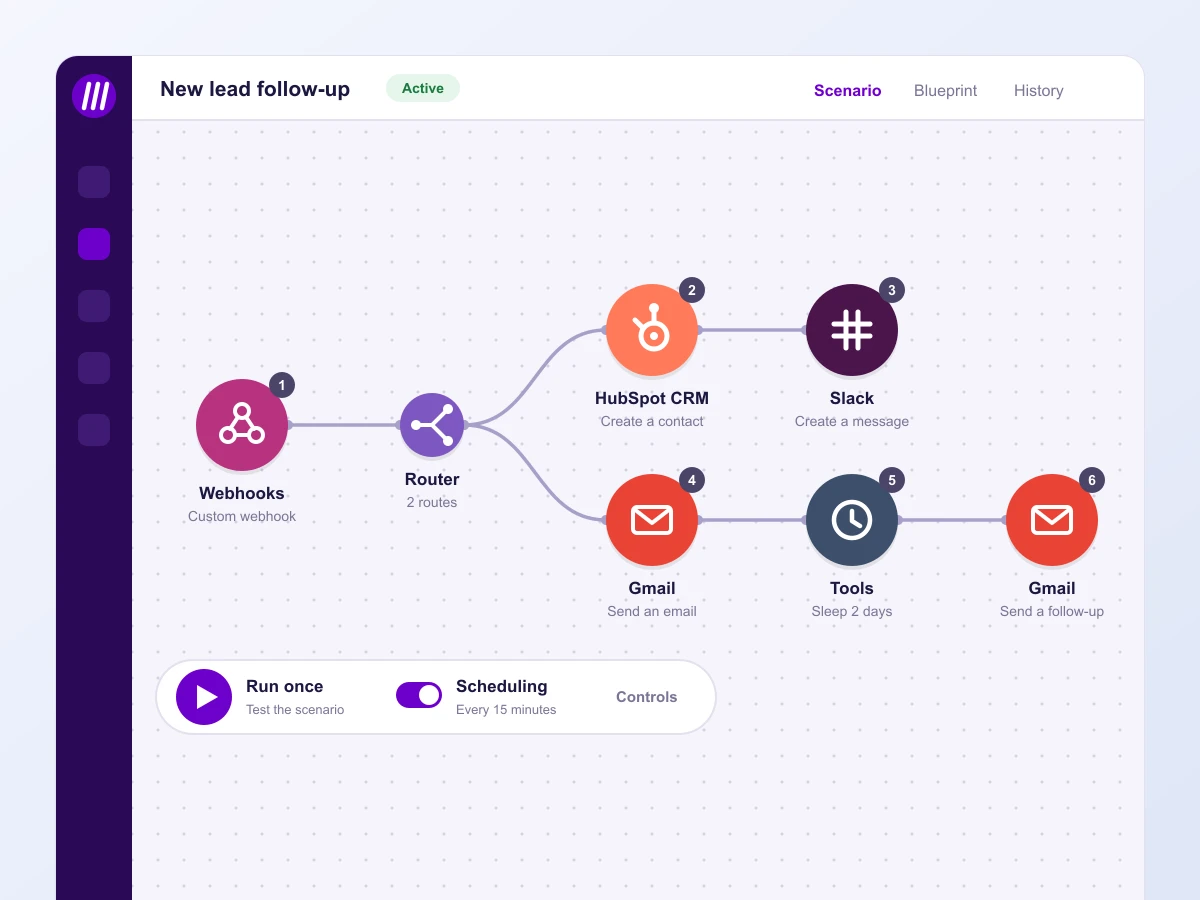
A webhook catches the form, a router splits the paths, and each step does one job: create the contact, send the email, ping the team, wait, follow up. I add error alerts so a failed step tells someone instead of silently dropping a lead.
Test with fake leads
I run test leads through every path, including the ones that go quiet, and check the run log before anything touches a real contact.
What changed
New leads get a reply and land in the CRM without anyone touching them. The owner gets a notification instead of a task, and the follow-up for quiet leads happens on schedule.
The client also keeps the plain-English version of the logic, so anyone on their team can see what the automation does without opening the tool.
- Make
- Zapier
- n8n
Work with me
Tell me what you are selling and where things feel stuck, and we will talk through honest next steps. Book a call if you would rather talk it through, or send a message and I will get back to you within a couple of hours.
You won't find my email floating around this page, which keeps the spam bots away. This form goes straight to my inbox though.
Or send me a message